Teenage Engineering K.O.II
A sampler with the face of a calculator and the instincts of an instrument. Record a sound, give it a rhythm, then play the controls.
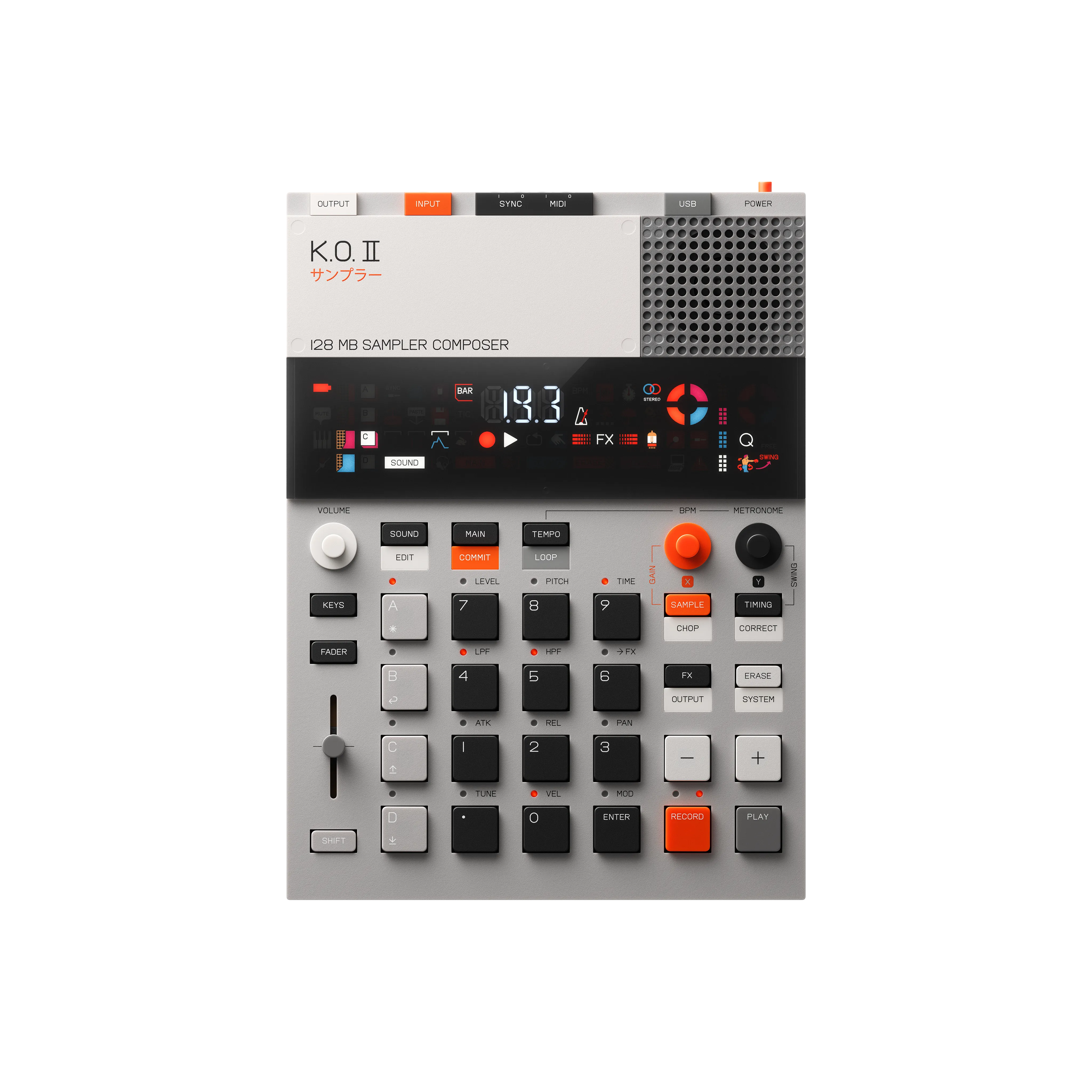
A good beat can begin with a very ordinary sound. A knock on a table. A clipped syllable. Something heard in passing that becomes interesting when it repeats. The K.O. II gives that act of noticing a physical home: a grid of keys, a fader and a display that looks closer to a calculator than a recording studio.
The EP–133 K.O. II is a sampler and sequencer. You record or load sounds, assign them to keys and build patterns from them. The attraction is the distance between hearing an idea and doing something with your hands. A laptop can provide a much larger workspace; this object asks whether a smaller, more immediate one would get played more often.
The version on sale today
Current US listing and specifications. The photograph shows the current 128MB-labeled unit; check the specification of older or secondhand stock separately.
Pay for a different way to begin
The hardware earns its place when the controls become part of composing. Repeating a phrase, changing its pitch and pushing an effect into the rhythm are the sort of decisions that benefit from an instrument within reach. The built-in microphone and speaker make a self-contained starting point possible.
The baseline is the music software you already own. If working at a screen helps you finish tracks, there is no inherent advantage in adding another machine. Consider the K.O. II when the screen is where an idea tends to become a session of reorganizing files instead.
The useful change: USB audio
Teenage Engineering’s current OS 2.5 notes document stereo USB audio input and output with a compatible class-compliant host. That gives it a direct route to record into a computer or compatible phone. The update also adds reverse sample playback. Check the installed firmware and host compatibility before relying on those functions.
The Catch
The compact surface asks you to learn combinations of buttons. Read a few pages of the manufacturer’s guide before deciding that the design looks simple to use. A limited display can be inviting during play and restrictive during detailed editing; which side matters more depends on how you work.
Storage is finite, and a collection of long recordings can make that limitation more relevant than it is for short drum hits. Plan for sample selection and project backups. This is also a provisional creative-tool recommendation, not a claim about long-term fader durability or recording quality.
For the person who wants to make the loop
We admire the way the K.O. II turns music-making into a visible set of gestures. Consider it for sample-based sketches and hands-on pattern building, with a computer available when a project needs a larger editing environment. Decline it if what you need is a keyboard to practice on or a device that removes the need to learn a workflow.
Researched September 10, 2026. Row & Ledger has not physically tested this product. Manufacturer specifications and editorial judgments are distinguished above. Prices and availability may change. Official manufacturer photography; no affiliate tracking added to manufacturer links.