Best Keyboards for Professional Work (2026)
Four serious keyboards for operators, analysts, writers and anyone who spends the day at the keys—ranked around friction, layout, connectivity and the point where mechanical enthusiasm stops helping the work.
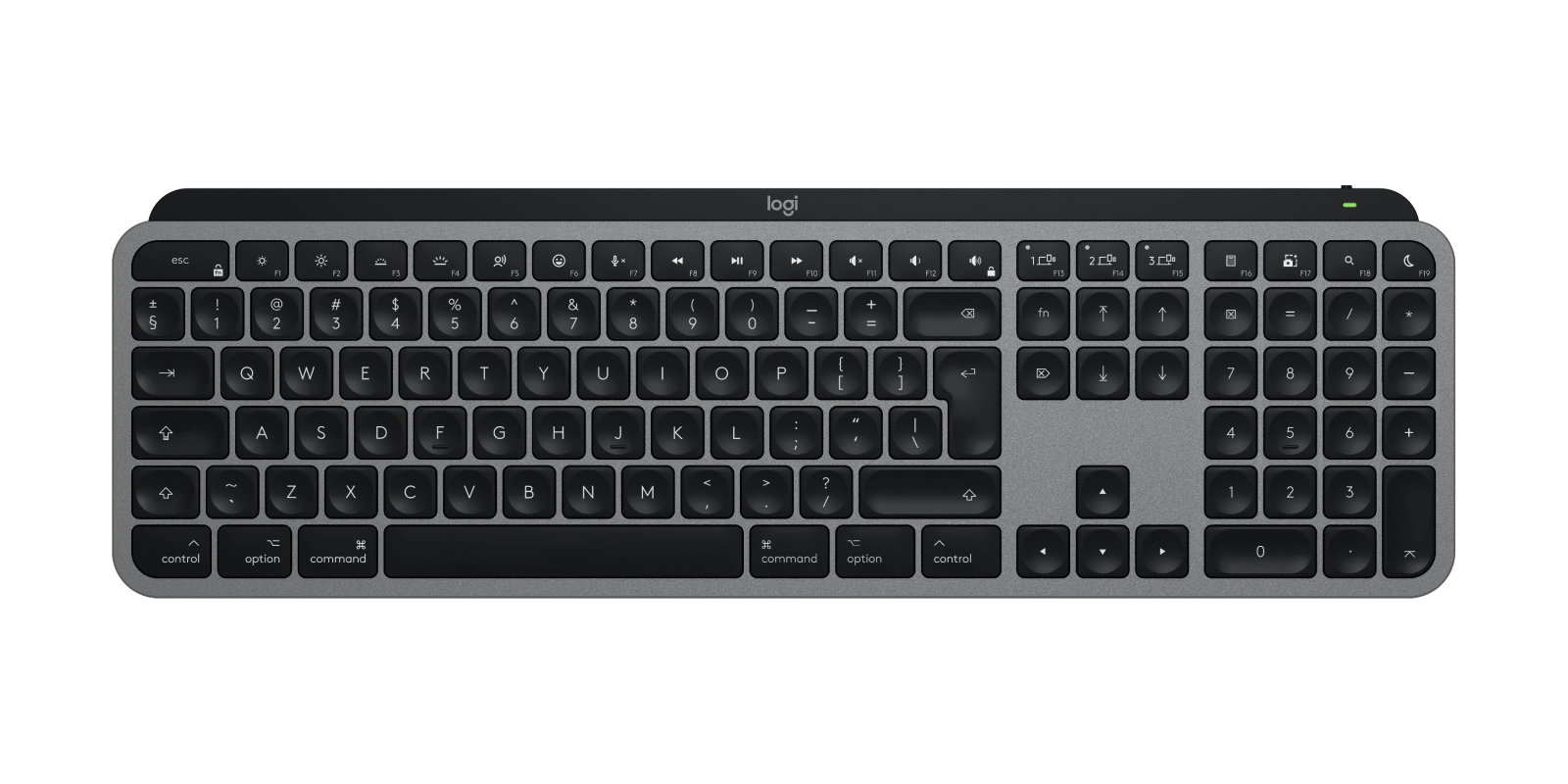
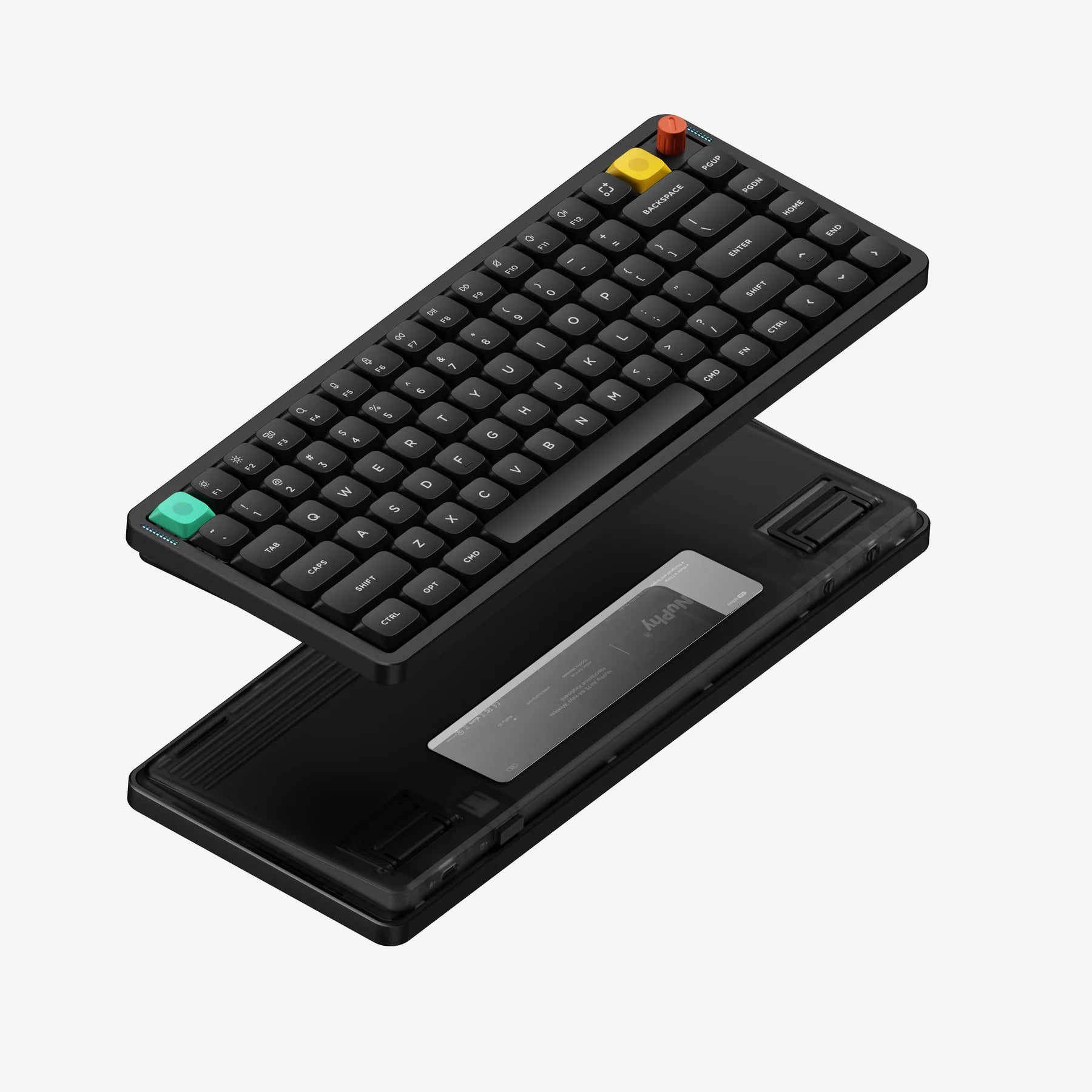
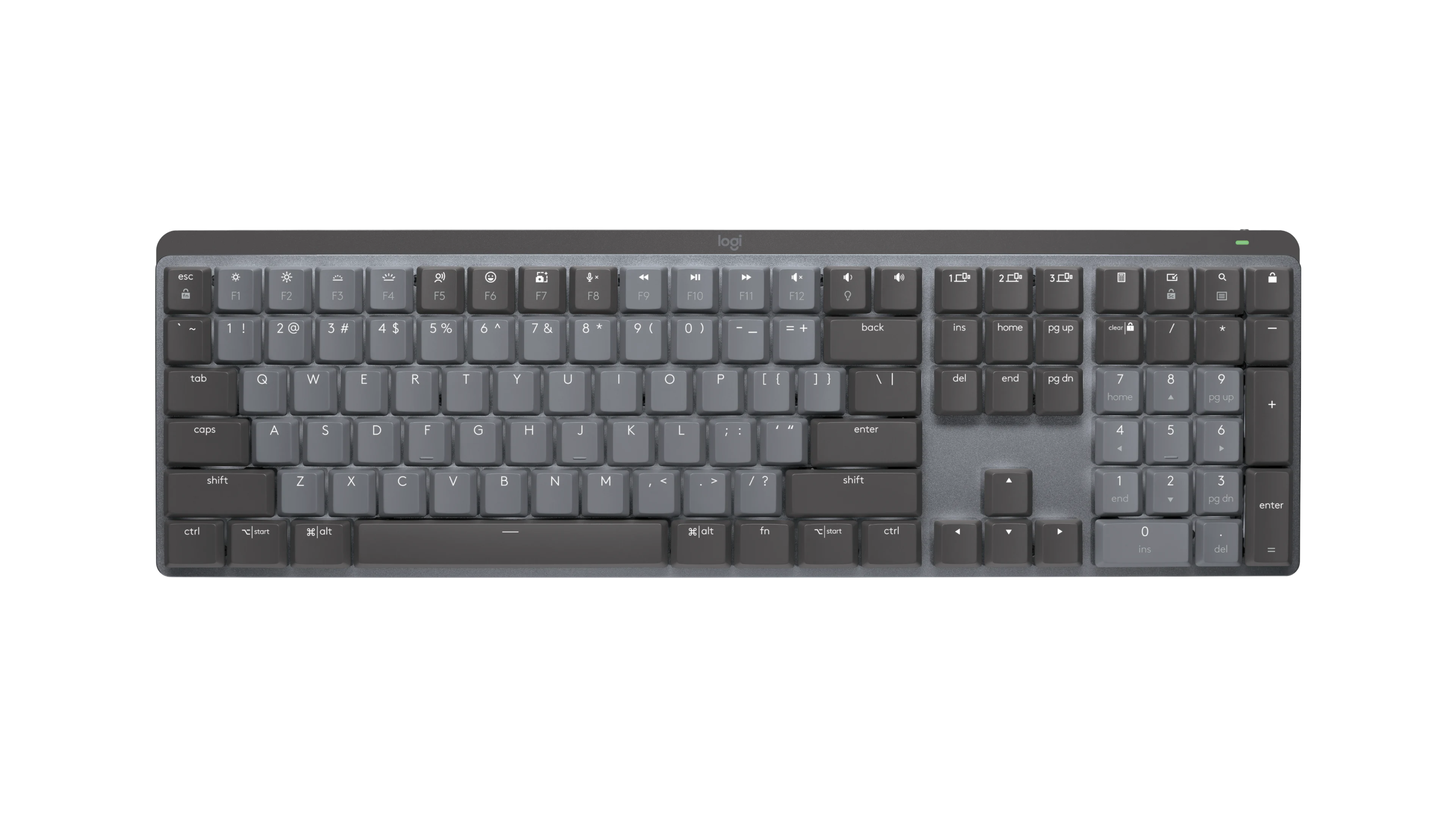
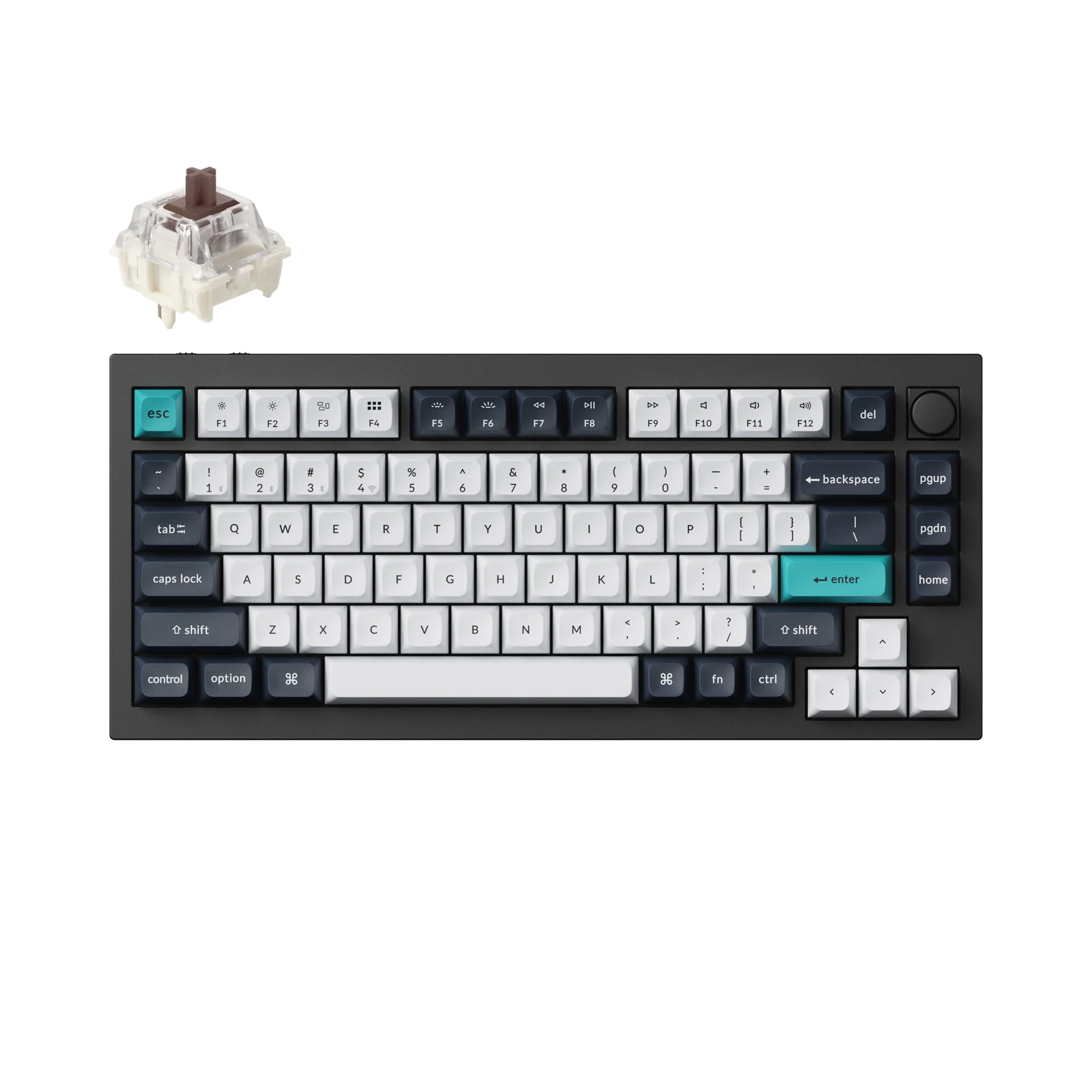
Logitech MX Keys S
Best for most professionals: low profile, quiet, full-size, multi-device, backlit and easier to live with in shared offices than a mechanical board.
The Ledger
The evidence sheet: what is documented, what the premium buys, and where the trade-off lives.
| Measure | Logitech MX Keys S | NuPhy Air75 V3 | Logitech MX Mechanical | Keychron Q1 Max |
|---|---|---|---|---|
| Price at research time | ~$130 | Varies | ~$180 | Varies |
| Layout | Full-size + numpad | 75% compact | Full-size office mechanical | Compact enthusiast layout |
| Switch system | Low-profile scissor | Low-profile mechanical · hot-swappable | Mechanical · 3 switch choices | Mechanical · deep customization |
| Connectivity | Bluetooth LE + Logi Bolt · 3 devices | Wired + 2.4GHz + Bluetooth | Multi-device / Easy-Switch | Wireless + wired enthusiast platform |
| Weight | 810g | 724g | Not stated in current comparison | ~1.72kg |
| Battery claim | Up to 10 days lit / 5 months unlit | Up to 1,200 hours unlit in lab conditions | Not stated in current comparison | Not stated in current comparison |
| What you pay for | Quiet familiarity + low-friction office use | Mechanical feel in a thin compact board | Mechanical feel inside Logitech office workflow | Aluminum construction + customization |
| Meaningful compromise | No switch customization | Denser 75% layout | Costs more, less customizable than enthusiast boards | Heavy and tall; desk-only proposition |
The Row
Specifications and prices reflect the evidence available when this guide was updated. Manufacturer claims are not presented as Row & Ledger hands-on findings.
The work-first decision
For professional work, speed is rarely the limiting factor. The useful variables are layout familiarity, consistency, multi-device switching, noise and whether the keyboard disappears into the workflow.
Mechanical feel has a cost
NuPhy is the more interesting choice for buyers who actively want mechanical feel. Keychron takes materials and customization further, but at roughly 1.72 kg it becomes a permanent desk object rather than a flexible professional tool.
Limitations
MX Keys S is not hot-swappable and does not deliver mechanical-switch variety. Air75 V3 has a denser 75% layout. Q1 Max is heavy and tall. We have not physically tested long-session comfort, acoustic character, keycap wear or wireless reliability in crowded offices.
Logitech MX Keys S
For most professional users, Logitech MX Keys S is the best recommendation because it minimizes friction: familiar layout, quiet operation, multi-device switching and no need to become a keyboard enthusiast to enjoy it.
Related Guides
Best Mice for Professional Work
Best Desk Lighting for Professional Work
Best Thunderbolt Docks for Professional Work
Evidence boundary: Row & Ledger has not physically tested these keyboards. Long-session comfort, acoustic character, keycap wear, wireless reliability and switch feel remain human-verification items.
Some retailer links are affiliate links. Row & Ledger may earn a commission from qualifying purchases at no additional cost to you. Recommendations remain independent of commercial relationships.